
Construction Budget Control: Tracking Budget vs. Actual, Committed Costs, and EAC Forecast
Track budget control in construction projects with a budget vs. actual template, commitment reconciliation, and an EAC forecast review.

For budget control in construction projects, organize the review around the budget, recorded costs, open commitments, and the forecast to finish. Start with the reporting sheet below, then check the meaning of each cost column before entering amounts.
Forecast total cost in each category is the current best estimate of costs based on progress and any changes since the budget was formed.
EAC is a forecast of the project’s final cost.
Budget vs. plan vs. forecast
The budgeted cost is derived from the detailed cost estimate prepared at the start of the project.
Use the budget as the starting reference. For the planned-work and actual-cost comparison, use these earned-value terms within the DOE assessment framework:
Planned work is represented by BCWS.
Accomplished work is represented by BCWP.
ACWP represents the actual cost of accomplished work traceable through the accounting system.
Label each comparison before entering its formula. Use these DOE relationships:
CV = BCWP ‐ ACWP.
VAC = BAC ‐ EAC.
For estimate setup, see the construction budget guide. For the reporting review here, select the work package and reporting cutoff before comparing its figures.
Construction budget vs. actual template
Individual job cost accounts generally represent the basic unit for cost control.
Expenses incurred during a project are recorded in job cost accounts for comparison with original cost estimates in each category.
Copy this field structure into your spreadsheet. Use a row for each cost account or work package. Put the reporting cutoff, forecast revision, reviewer, and source-record reference above the sheet. Keep the owner-payment view and the contractor cost-account view separately labelled.
Scroll horizontally to see all columns.
| Column group | Fields to copy | Review prompt |
|---|---|---|
| Budget | Original budget; approved budget changes; transfers; current budget | Which authorization supports each movement? |
| Actual cost | Recorded cost; unposted incurred cost; reconciled actual cost | Has the accounting-period reconciliation been completed? |
| Commitments | Full signed commitment; matched invoiced amount; open commitment | Which portion remains open? |
| Remaining forecast | Remaining committed work; uncommitted work; pending-change exposure; estimate to complete | Where does each remaining item enter the forecast? |
| Completion | Estimate at completion; variance at completion; movement explanation | What changed since the previous review? |
| Follow-through | Action; responsible reviewer; decision record | Who will resolve the open question? |
Treat these as proposed worksheet headings. Choose the accounting basis for the actual-cost fields and document the treatment of unposted costs before filling the sheet.

Close the reporting period
For DOE earned-value performance reporting:
When direct costs for accomplished work are not yet formally recorded in the accounting system, accruals or estimated actuals are used for earned-value performance reporting.
Accounting actuals and actual costs reported in earned-value reports are reconciled at each accounting-period end, with results documented.
Actual cost and earned value use a consistent reporting period.
Add a reconciliation note beside the actual-cost total. Identify the underlying record for each adjustment and check whether it is already included in recorded cost. Carry that same cutoff into the progress review.
Committed costs: distinguish the full amount from the open balance
Commitments may represent material orders or subcontracts for which firm dollar amounts have been committed.
For a signed-contract payment view, use the following Procore Portfolio Financials definitions:
Committed costs are the initial award amount plus approved change orders.
Invoiced to date is the amount invoiced up to the current date.
Committed minus invoiced is the amount remaining to pay on items with signed contracts.
Forecast costs include committed costs, pending change orders and holds.
Label the full commitment and the open balance separately. Match the invoiced portion to its contract before carrying the remaining work into the forecast. Check the treatment of unposted costs during that reconciliation; do not add the full signed amount again alongside costs already recognized against it.
Keep pending changes visible
Maintain separate approved-change and pending-change fields. Next to each pending item, identify its forecast treatment and decision record. Check for duplicate inclusion before adding a separate exposure allowance.
For the AIA Change Order form:
The change order cost fields include the original Contract Sum or Guaranteed Maximum Price.
The change order cost fields include the Contract Sum or Guaranteed Maximum Price before the change order.
The change order cost fields include the new Contract Sum or Guaranteed Maximum Price as adjusted by the change order.
Previously authorized change-order totals exclude construction change directives unless subsequently agreed to by the Contractor and recorded as a Change Order.
Use that original/prior/adjusted sequence when reviewing the contract-change trail. Keep budget transfers separately labelled on the cost sheet. Continue with the allowances and contingency guide for related reading.
Build the EAC from remaining work

For the DOE earned-value framework:
EAC = ACWP + ETC.
EAC uncertainty is a function of the ETC.
ETC considers purchase order commitments, anticipated labor efficiency and rate, and material price and usage.
ETC is mapped to the current schedule consistent with the estimated completion date.
Review the estimate to complete against the remaining work, purchase orders, labor assumptions, material assumptions, and current schedule. Ask the package reviewer to explain each changed assumption. Keep the chosen completion budget visible beside the forecast.
In the CMU cost-to-completion structure:
Estimated total costs are the sum of cost to date, commitments and exposure.
Use the remaining commitments in this cost-to-completion structure. Reconcile the recognized portion before combining commitments with cost to date. Keep an explicit line for the remaining exposure.
Check the software column formula
In the Procore Standard Budget View:
Job to Date Costs shows Direct Costs plus Subcontractor Invoices.
Projected Costs shows Committed Costs plus Direct Costs plus Pending Cost Changes.
Estimated Cost at Completion calculates Projected Costs plus Forecast to Complete.
Projected Over/Under calculates Projected Budget minus Estimated Cost at Completion.
Before copying a software total into the worksheet, read its column formula. Keep the Procore projected-cost starting point and the DOE actual-cost starting point clearly labelled. Match the remaining forecast to the starting point you use.
Review forecast movement and contingency

Within the DOE assessment framework:
EACs are evaluated monthly and adjusted for progress, performance, scope and schedule changes, and the cost of completing all remaining authorized work.
EACs are integrated with the project risk register and based on identified and emerging risks and opportunities.
For each forecast revision, record the previous forecast, current forecast, reason for movement, and follow-up decision. Review scope, schedule, and the risk register together with the package forecast.
For major highway projects, FHWA contingency guidance provides the following review principles:
Risk assessments should be performed periodically to update contingency amounts.
After known risk mitigation, contingency funding should reflect the remaining risk associated with major cost elements.
Transfers to and from contingency line items need careful administration and tracking.
Reasons for contingency transfers should be noted and included in reporting.
Contingency amounts can be identified as separate line items associated with each major element.
Use a companion contingency log with fields for the reserve category, opening allocation, transfer, receiving cost account, reason, authorization record, remaining reserve, and remaining-risk review. Keep the transfer trail alongside the cost report.
Budgeting problems and solutions: review prompts
Use these questions during the report review:
- Only invoices on the sheet? Compare the signed commitments with the matched invoiced amounts and reconcile the open balance.
- Performed work still unposted? Check the accounting-period reconciliation and the treatment of estimated actuals.
- The forecast repeats the unspent budget? Ask for the remaining-work estimate and its labor, material, commitment, and schedule assumptions.
- Pending changes hard to follow? Identify the forecast location and decision record for each pending item.
- Contingency movements unexplained? Request the receiving cost account, transfer reason, and remaining-risk review.
- Variance labels unclear? Label the accomplished-work comparison separately from the completion comparison.
Finish the review by assigning the open actions and recording the decisions. Return to Costs & Planning for the related budget and planning guides.
Sources
- Carnegie Mellon University — Project Management for Construction, Cost Control, Monitoring, and Accounting
- Procore — Portfolio Financials data points product documentation
- Procore — Standard budget views product documentation
- DOE — Capital Asset Project Assessment Guide
- AIA Contract Documents — Change Order form instructions
- FHWA — Contingency Fund Management for Major Projects
Related guides
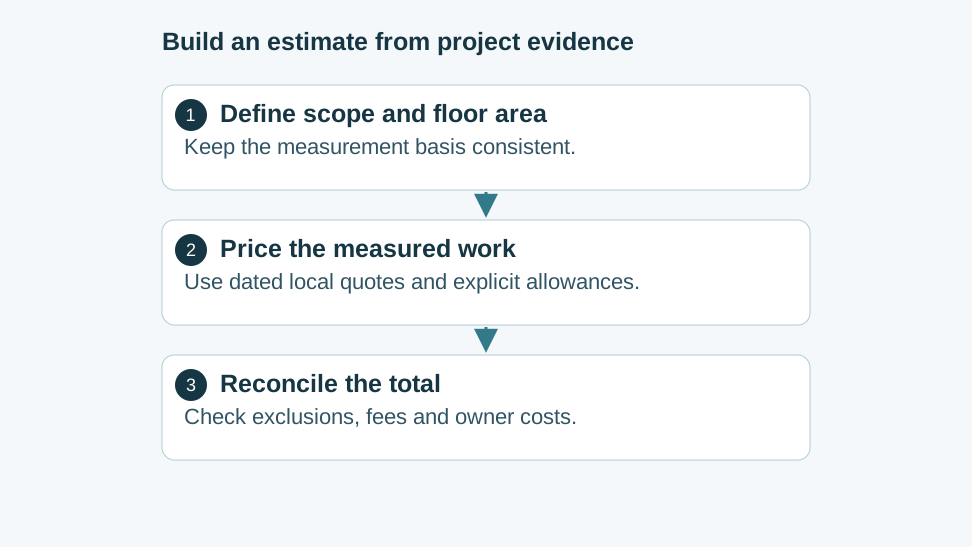
Residential Construction Cost per Square Foot: Local Inputs, Cost Drivers and Estimate Worksheet
Build a residential cost-per-square-foot estimate from dated local prices, measured quantities and explicit scope. Includes a copyable estimate worksheet.
Read guide
Construction Budget Guide: Class the Estimate First
A construction budget fails when a screening figure is treated as authorization. On a base of 100, the wider Class 5 ends are 50 and 200. The wider Class 3 ends are 80 and 130.
Read guide
Stipulated Sum Contract: Cash Allowances, Alternates, and Contingency Accounting
Review stipulated sum allowances and contingency, accepted alternates, allowance reconciliation, and the questions to ask before approving a budget.
Read guide